THE FAMILIAR ROUTINE
One. Image. At. A. Time.
- 01Upload images into a Canva folder.
- 02Create a page for every image.
- 03Drag each image onto its page.
- 04Repeat until your collection is assembled.
More setup between you and your next product.
 PagePilot✦Meet your shortcut
 FOR ETSY SHOP OWNERS WITH BETTER THINGS TO DO
Upload the images. Add every page. Drag each image into place. Sound familiar?
PagePilot turns your image folders into ordered PDFs, with one image already on each page—ready for you to import into Canva.
Desktop Chrome & Edge • Local conversion • Full pixel resolution
One folder.
So many possibilities.
PagePilotSkip the page-by-page.Every image in place. Every page in order.
Import your PDFs into Canva. Start creating.
Illustrative batch · PDFs may split based on file size.
THE PART YOU DIDN’T OPEN A SHOP FOR
A big image collection can mean a long setup session before the creative work even starts. Let’s shorten the preparation.
THE FAMILIAR ROUTINE
More setup between you and your next product.
THE PAGEPILOT WAY
One image already placed on each PDF page.
Time saved varies by collection size, your computer and Canva’s processing. PagePilot prepares your PDFs; Canva importing remains manual.
TAKE THE REPETITION OUT OF YOUR DAY
When your collection grows, the page-by-page work grows with it. Prepare your images together, then import the finished PDFs into Canva.
Skip creating a blank page and placing an image over and over. PagePilot prepares one image on every PDF page.
Select your collections and run a batch. Keep the order and folder names without starting from scratch for each set.
Put that preparation time toward new designs, better listings, and your next collection.
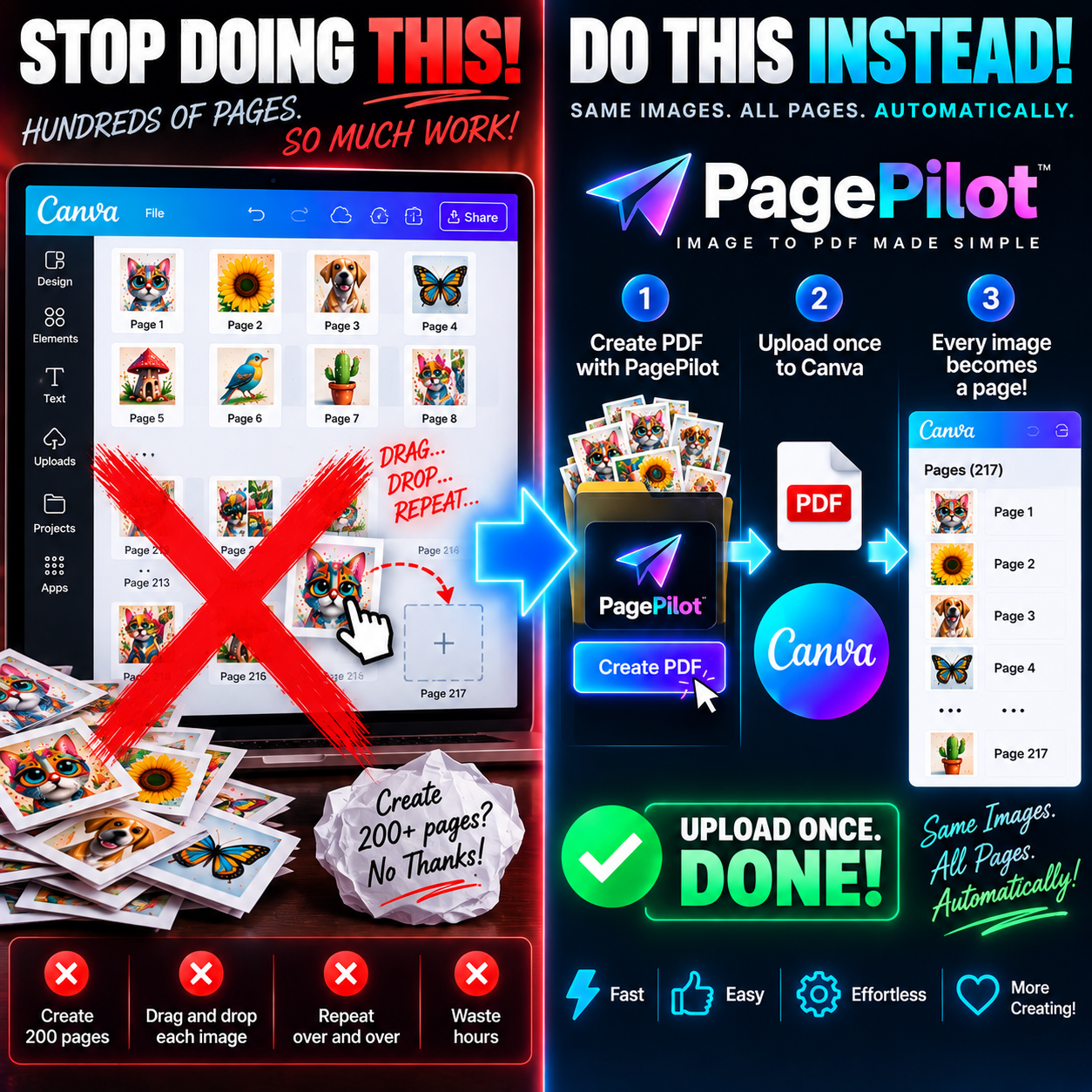
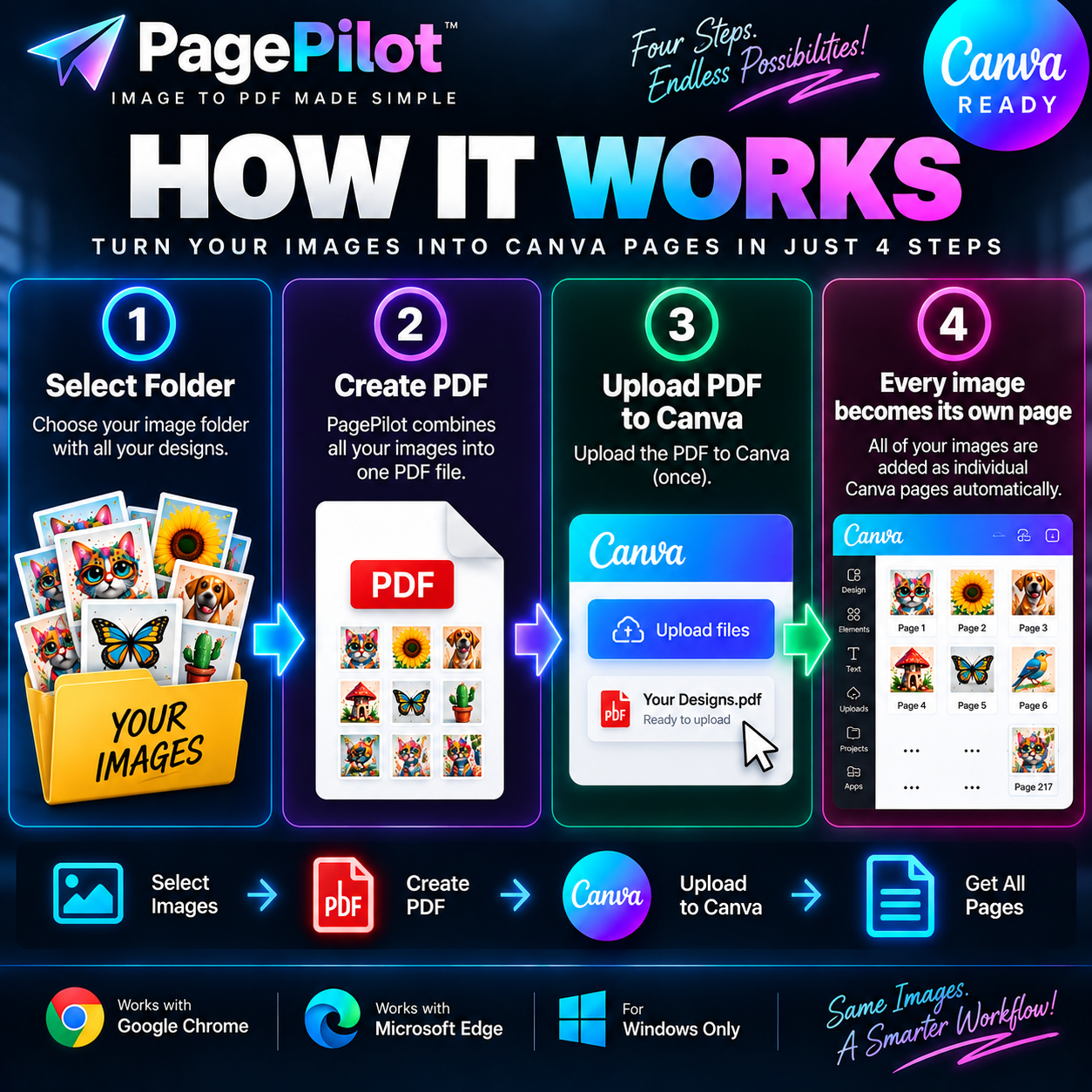
Workflow illustrations. Large collections may be split into multiple PDFs. PagePilot runs in desktop Chrome and Edge; you upload the PDFs to Canva yourself. Actual time saved and import results vary with your files, computer, and Canva processing.
See what PagePilot handlesSMALL DETAILS. A SMOOTHER WORKDAY.
Keep your collections organized, your images at full resolution, and the repetitive preparation off your to-do list.
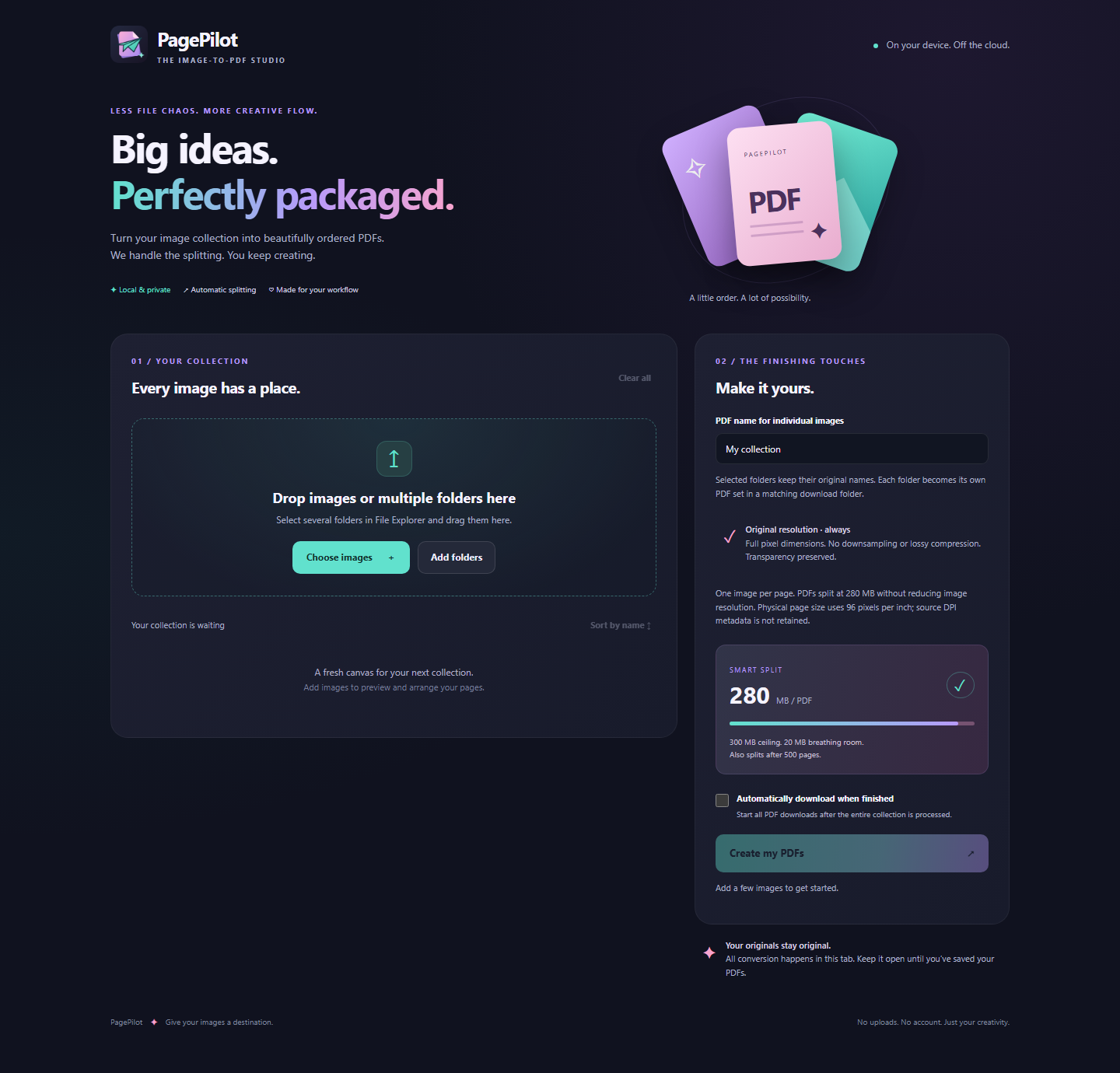
Actual PagePilot interface. A dedicated tab for your collection.
Convert several folders in one batch. Keep each collection separate, with its original folder name.
Original pixel dimensions, no downsampling, no added JPEG compression.
PDFs split at 280 MB, leaving 20 MB below a 300 MB ceiling. A 500-page limit also applies.
Enable automatic downloading and all prepared PDFs start saving after processing finishes.
BEFORE YOUR FIRST BATCH
No mystery setup.
Here’s what to expect.
LESS PREP. MORE POSSIBILITY.
PagePilot for desktop Chrome & Edge.
Purchase details will appear here when the Etsy listing launches.
Explore the workflow Manual extension installation required.